




Move the world while players stand in it
A map file says where the trees are. It does not say where the people are. Who stands in Sparta's square, which crocodiles patrol the road, where the Prize Chest sits — all of that lives in the server's database, not in the map. Until this week the map editor could not see any of it.
Now it can, and it can change it.
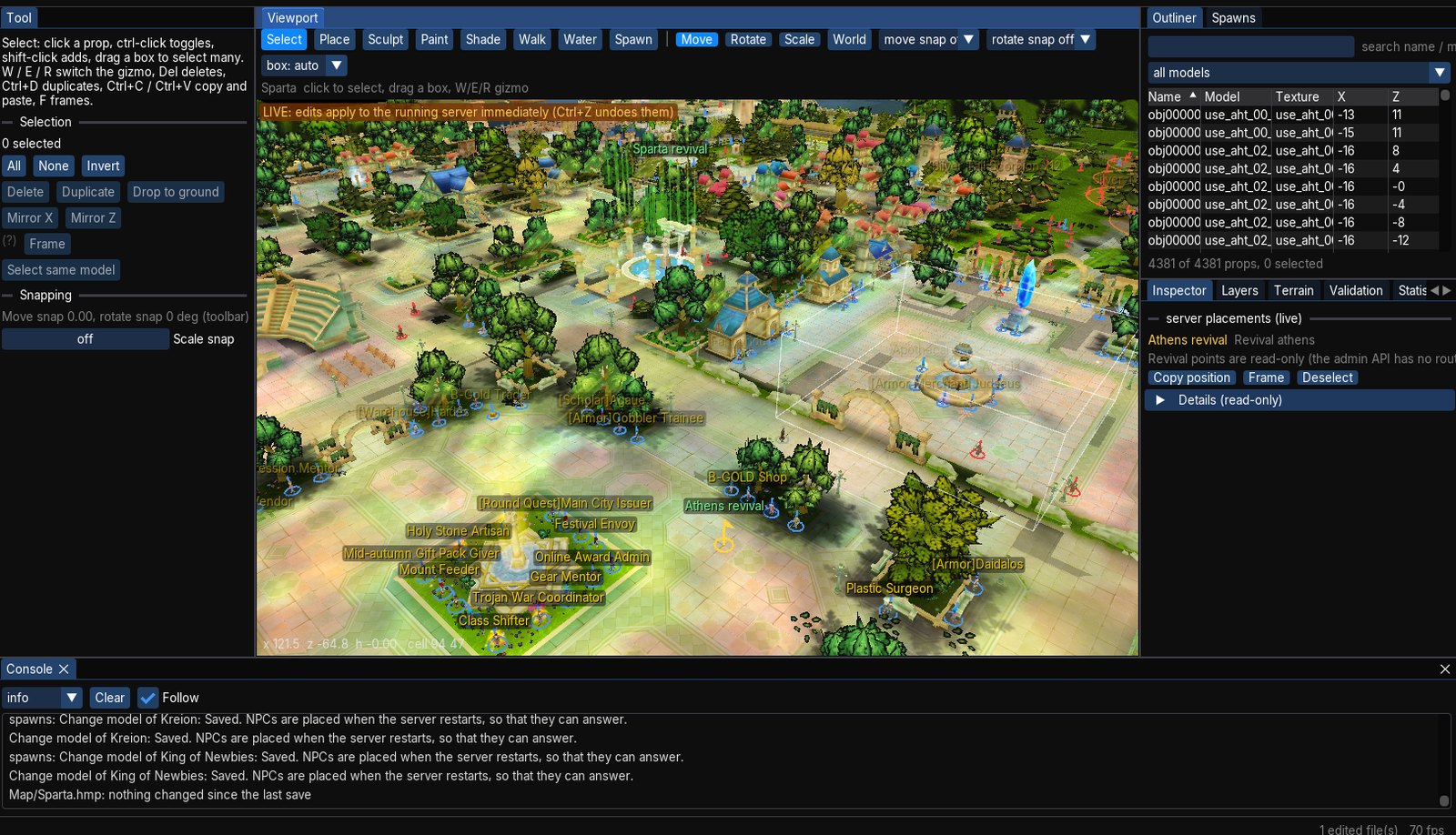
What you see
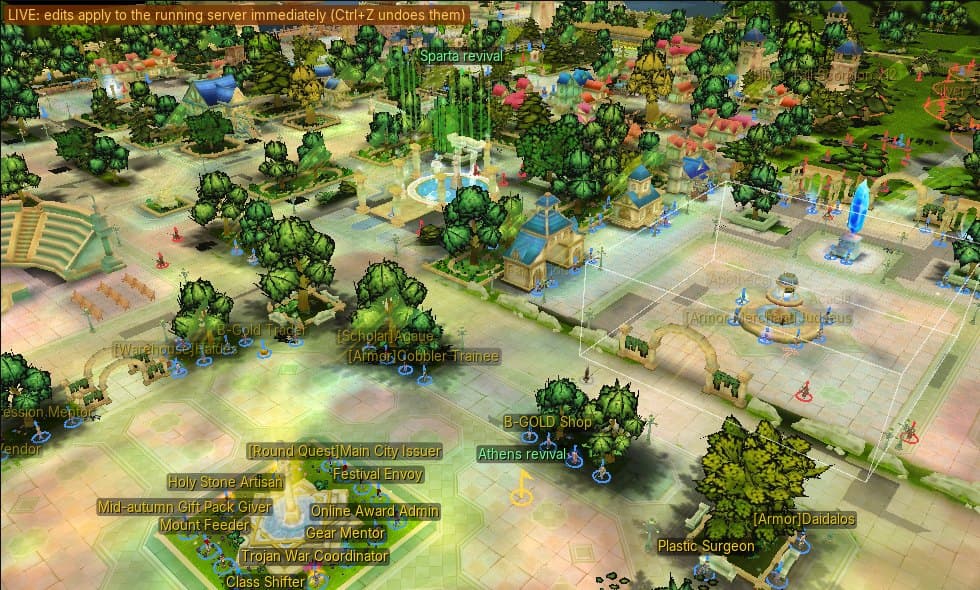
Open Sparta and the Spawns layer draws every placement on the map, with the name the client would show and a ring under each one. A dock panel lists them; select one in the list or the viewport and the Inspector shows everything the server knows about it. Spawn blocks — the areas that scatter a monster type across a zone — are drawn as their true circles, and revival points are marked where they stand.
One small surprise for anyone who has played: the Prize Chest is an NPC. So are the boss treasure chests and a few dozen other things that look like monsters or objects: entries in the NPC list that borrow a monster's 3D model for a body. They are not scenery, and the editor shows them for what they are.
What you can do
- Move and rotate with the gizmo, or type an exact position and heading.
- Retune level, camp, hit points, respawn time, whether it is enabled, its drops, its script and its model — each field in the Inspector.
- Add with the Spawn tool: choose NPC or monster, search the list of models the server accepts (with how many of each already stand on the map), and click the ground.
- Duplicate, copy and paste, delete, one at a time or a whole box-selected crowd.
- Edit spawn blocks — centre, radius, count, level, model.
Every edit is one undo step, and it is applied to the running server the moment you make it. If the server refuses — a bad model, a map it does not know — the editor says why in its own words and changes nothing.
What "live" means, precisely
The server has two kinds of placement, and they behave differently:
- Monsters appear straight away. Add one in the editor and it turns up for the players near it.
- NPCs are saved immediately but placed at the next restart. What an NPC says is worked out from the world as it boots, so a new NPC cannot answer before then. The editor tells you this, in the server's own words, every time it applies.
How it stays safe
The editor talks to the server through its admin interface, which listens only on the machine it runs on and needs a secret token to answer. It cannot reach across a network, and it never touches a file: everything goes through the same checks that protect the server's own management console. When the server is not running the editor falls back to the world's exported files and shows them read-only, and says so.
What it cannot do yet
We would rather say than have you find out:
- The server's interface cannot report an item's drop counts or drop probabilities, so a full overwrite of a placement (a move, a heading change, a new model) resets those. The management console has the same limit.
- Revival points are read-only.
- Saving a spawn block resets its scatter seed.
- We have driven all of this through scripted runs against a live server — adding, moving, retuning, undoing, deleting and checking the world afterwards, row by row. The mouse-drag path has had the least use. If it misbehaves, tell us.