

Meet the editor suite: maps, models, windows and tables
Owning the client means we also own the tools. The new client ships with a companion program, the editor suite, and it changes what a change to this game costs.
The idea behind all of it
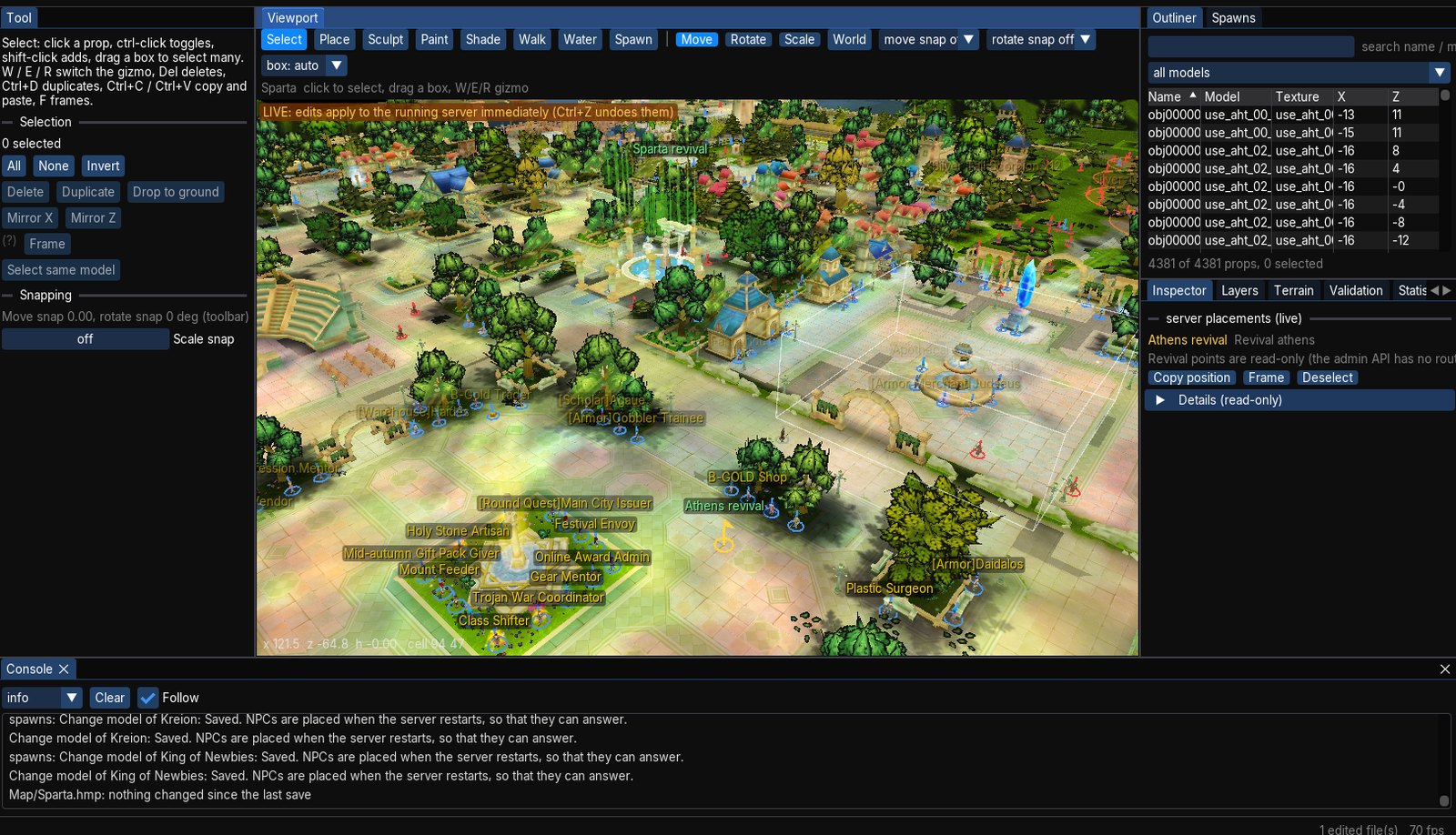
The editors are not separate programs that approximate the game. They run on the client's own code — the same file reader, the same map renderer, the same model renderer, the same interface engine. What the editor shows is what the game draws, because it is the same thing drawing it. We measured that, rather than assuming it.
Five workspaces
| Workspace | What you can edit |
|---|---|
| Map | props, terrain height, surface paint, shading, the walk grid, water |
| Model | 3D meshes, materials, UV maps, animation clips, particle effects, glTF import and export |
| Scene | the 3D scene behind the login screen — cameras and camera moves |
| UI | the game's window layouts, visually |
| Data | the game's configuration tables: INI files, XML and text |
The map editor
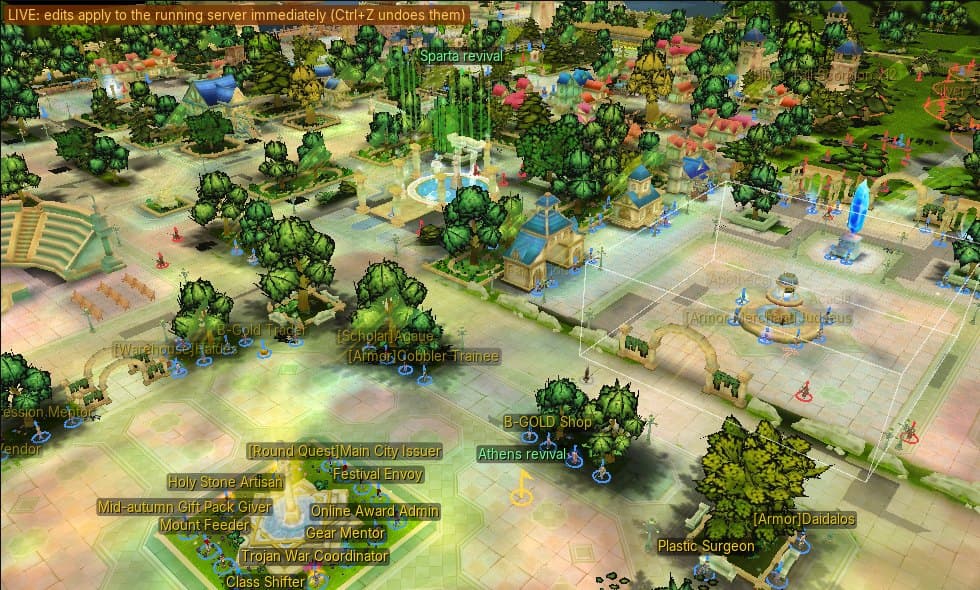
Click a prop to select it — the click is tested against the model's actual triangles, not a box around it. Drag a box to select many. Move, rotate and scale with a gizmo, with snapping. Duplicate, copy and paste, mirror a group across an axis, drop everything to the ground. There are brushes for sculpting terrain, painting surfaces, shading, the walk grid (where characters can and cannot go) and water. A validation panel lists problems with the map before you save it.
The model editor
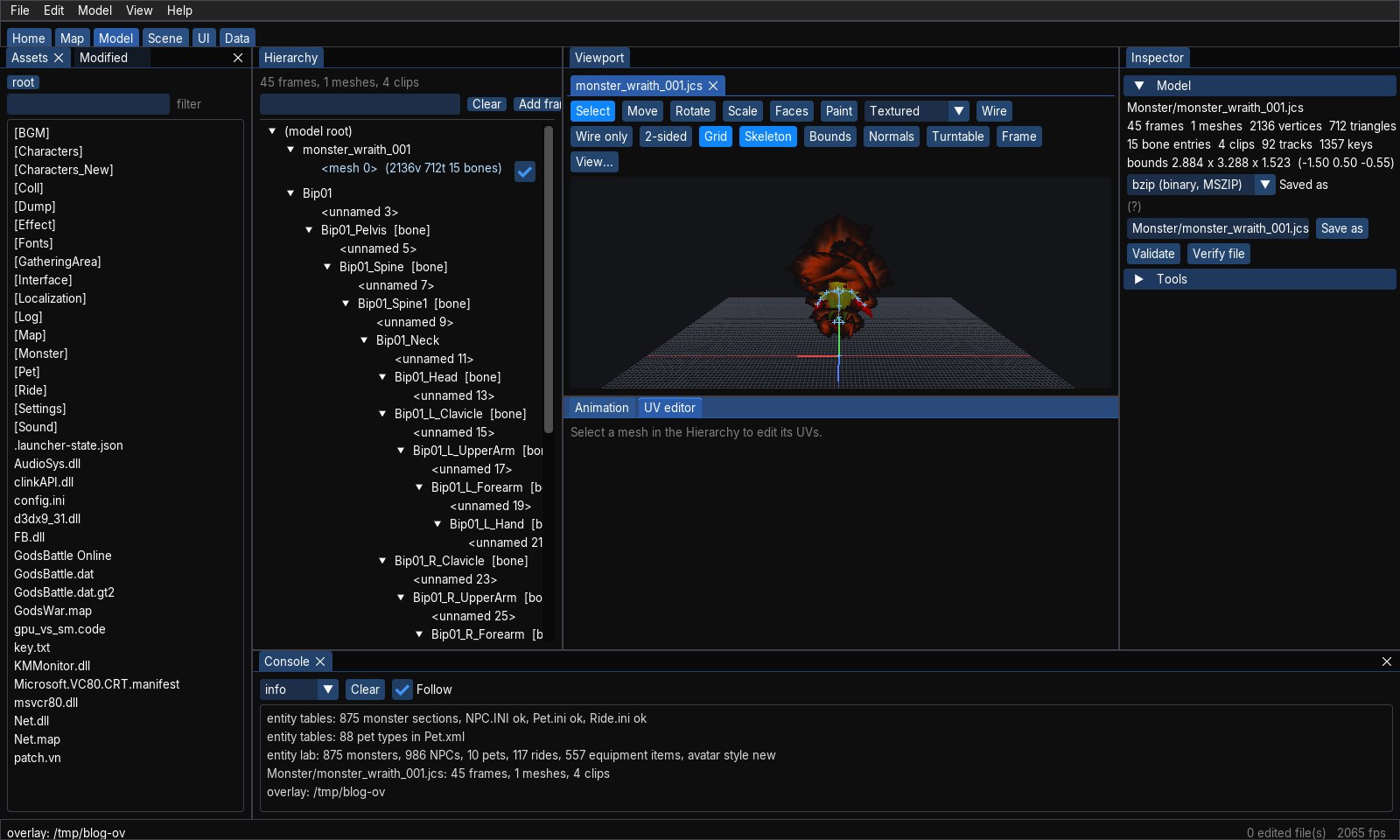
Open any mesh in the game and see its bones, clips, materials and UVs; edit them; save. There is an effects mode for the game's particle files, glTF import and export to and from other 3D tools, and an entity and avatar lab that assembles any of the game's characters, monsters and pets the way the client would — 875 monsters, 986 NPCs and 557 equipment items, at the time of writing.
The UI editor
The game's windows are XML files. The UI editor draws them on a canvas with rulers, a grid and snapping, shows an outliner of every element, offers a palette of widget types, lets you pick artwork out of the texture atlas, and shows a diff against the installed version so you always know what you changed.
The data editor
The tables that hold the game's rules and words — twelve thousand text entries alone — open in a proper editor instead of a text box.
It cannot damage your install
This was the hard rule. The editors never write into the game folder. Saving writes to an overlay: a separate folder, mirroring the game's layout, that sits on top of the install. Only files that actually changed are written; undo everything and save, and nothing is written at all. A Modified panel lists what you have changed and reverts any file with a click. The game client, given the same overlay, shows your changes; delete the overlay and the original is right where you left it.
File → Play launches the client with your overlay in one step, so the loop from "I moved that tree" to "I am standing next to it" is a few seconds.
And then it can go further
An overlay is also what the server can publish to players. That, and the newest feature of the map editor — editing where the NPCs and monsters stand while the server is running — are the next two posts:
live spawn editing and
content packs.