






Whispers, channels and a HUD that gets out of your way
Most of what makes a game feel good is small. This is the pile of small things.
Chat
- Whispers. Type a message to a named player and it goes to them alone; you see your own copy in your chat, marked as a whisper. If they are offline, the game says so instead of swallowing the message. It works between two clients on the same realm, and we tested it that way.
- A channel picker. A small menu next to the chat box chooses where your message goes — World, Talk, Polis, Team, Guild or private message — and a set of checkboxes chooses which channels you hear. Turn off World and it goes quiet.
Messages that go where they belong
The retail client dumped everything into one chat log. The new one sorts it:
- System and staff announcements scroll along a ticker at the top of the screen and are also kept in the top chat box — visible when they happen, findable after.
- Status messages — experience gained, for one — appear in the character window's status list instead of the chat.
- A welcome banner greets you on entry, drawn from the game's own notice text.
Bosses that announce themselves
A listed monster can now announce that it is about to come back, and again when it has. The server sends a line naming it and telling you which map it is on, and the chat shows it. The list of monsters and their lead times is a plain notes file, and a staff command changes a note while the server runs.
Townspeople
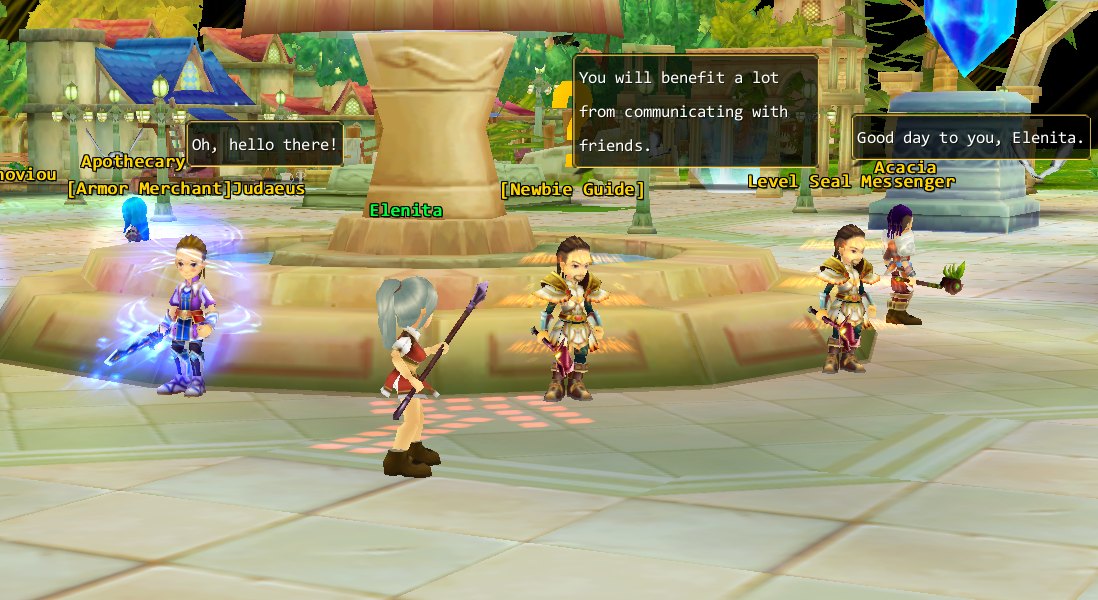
Walk near a group of NPCs and they may say something — a greeting to you by name, a tip. It is a small thing, and it is the difference between a town and a row of statues. It is ours rather than the original's: the retail game has no such thing, and the lines are picked at random for whoever is close enough.
An interface that stops fighting you
- The chat window is click-through: you can click the ground behind it. Its frame and text still work; the empty space no longer eats clicks.
- The status panel and the system bar are fixed, not draggable, so a wayward drag cannot lose them.
- Right-drag turns the camera anywhere, including with the pointer over a window.
- Click yourself to walk to the ground behind you (your character is a big target); double-click to select yourself when you need to.
None of these is a headline, and every one is a moment of friction that is gone.